About
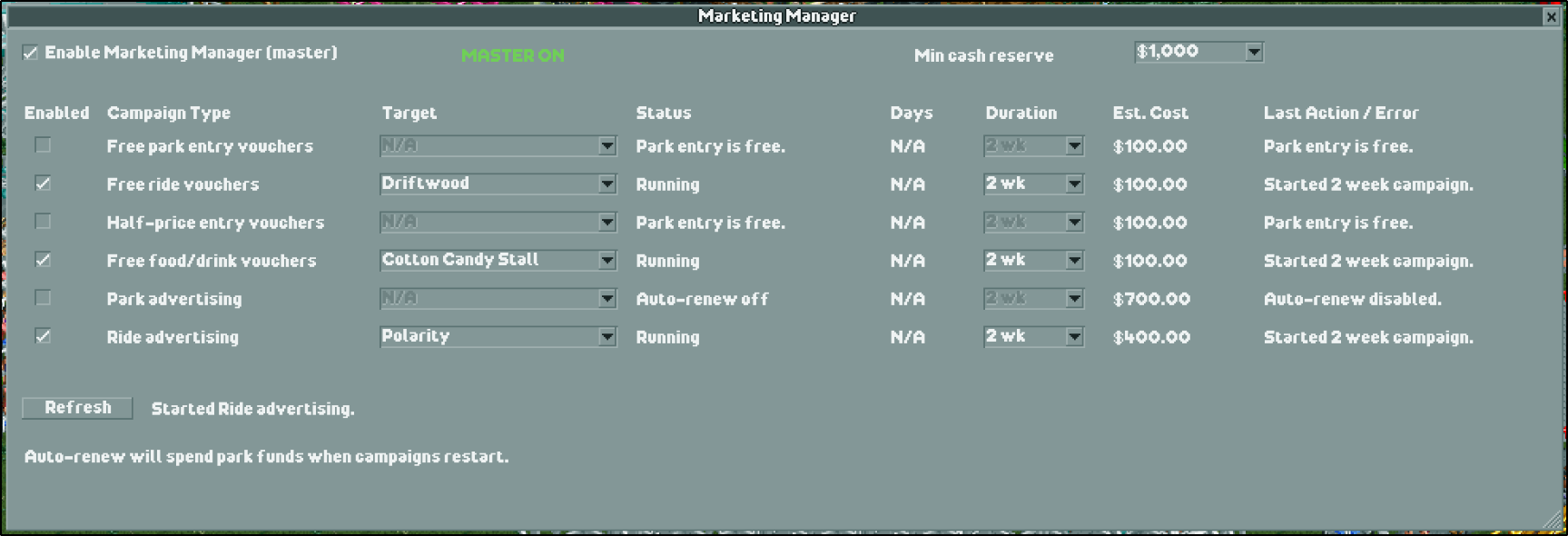
Marketing Manager helps keep OpenRCT2 marketing campaigns running without repeating the same setup each time they expire. Configure the campaigns you want to renew and keep control of when automation is enabled.
How It Works
Choose campaign durations and targets, enable renewal per campaign type, and turn on the master automation switch. A minimum cash reserve setting helps limit spending. The plugin checks campaigns once per in-game day and displays status and errors in its window.
Installation
Visit the OpenRCT2 plugin listing, then follow the repository instructions to place MarketingManager.js in your OpenRCT2 plugin folder. Restart the game and open Marketing Manager from the in-game menu. Both the master switch and the selected campaign row must be enabled before it starts campaigns.